MIDNIGHTMARSHAL

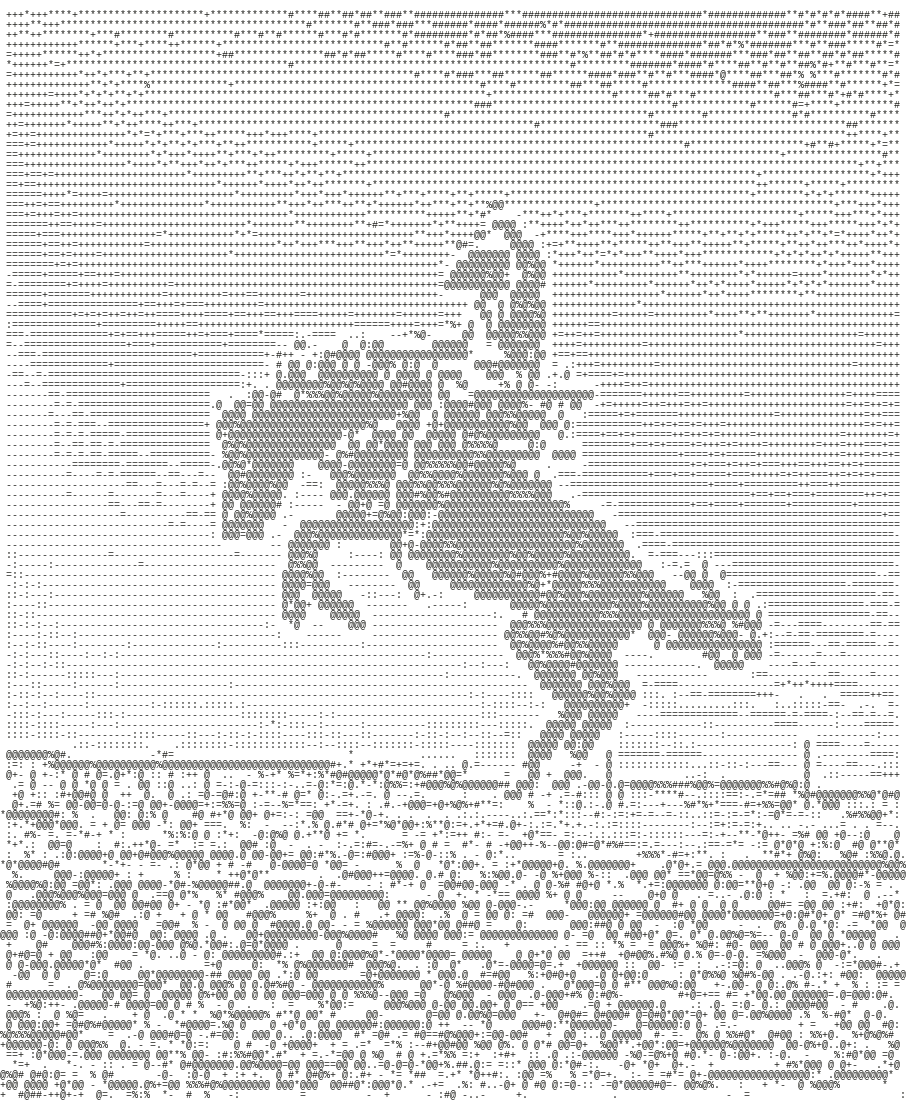
ASCII artwork of a cowboy riding a rearing horse
COWBOY / ASCII ARTWORKDOWNLOAD TEXT

System overview

FUNCTION
Connect a local model to Telegram and Discord
MODEL HOST
Mac Studio in the current setup
RUNTIME
Python
CHAT STORAGE
SQLite
RELEASE
Mac beta · 0.1.0-beta.1

FEATURE STATUS

CURRENT MAC BETA

ComponentStatusScope / limitation
Telegram / DiscordConnected in current setupMessage transport uses external services; inference runs on Studio.
Chat-history storageImplemented in SQLiteStored turns are not equivalent to reliable long-term memory.
Persistent memoryWork in progressBroader restart and long-history recall remain unverified for this setup.
Mac installerBeta ZIPExtract in Finder and open the included setup launcher.
User feedbackPlannedNo connected feedback board or comment submission.

HARDWARE GUIDANCE

APPLE-SILICON MACS / UNIFIED MEMORY

Model / memory estimates.

The current setup hosts the model on a Mac Studio. The rows below are standalone Ollama launcher recommendations, not measurements of this Studio-hosted setup or verified minimum requirements. Additional RAM provides room for context and other applications; it does not guarantee faster replies.

Current launcher guidance. Download budgets are approximate.
Mac unified memoryQuick-chat modelLarger-model optionFree storage budgetEvidence
8 GBQwen3.5 4B4B6 GBRecommendation only
16 GBQwen3.5 9B9B10 GBSeparate launcher guidance
24–32 GBQwen3.5 9B9B10 GBRecommendation only
36 GB or moreQwen3.5 9BQwen3.5 27B10 GB / 22 GB27B Ollama path not tested here

Storage budgets: about 4 / 8 / 20 GB for the 4B / 9B / 27B downloads, plus 2 GB of spare space. This is the launcher’s planning allowance, not measured RAM use. Actual requirements depend on quantization, context length, and other running processes. No GPU upgrade is required for this Apple-silicon path.

Suggested starting point: Qwen3.5 9B. Allow about 10 GB of free model storage.

Manual estimate using the launcher’s model-size rules. This page does not detect your hardware or run a benchmark. It assumes the suggested model is not installed yet.

DEPLOYMENT CONFIGURATOR

FREE / PLANNING ESTIMATE

No account or email required. This estimates model-weight storage and records deployment requirements; it does not certify hardware capacity.

Enter requirements and calculate an estimate.

Formula: parameters × bits ÷ 8, in decimal GB. This is raw weight size only; quantization metadata, KV cache, context length, runtime buffers, operating system and other applications require additional memory. Concurrency and latency require workload benchmarks.

Business setup scope

BUSINESS SETUP

PAID SERVICE / CUSTOM QUOTE

We can build a harness tailored to your business needs and host it locally for you—from a small local setup or dedicated on-premises AI box to a multi-server enterprise deployment.

We assess your requirements and prepare a procurement document comparing prebuilt systems with custom-built hardware. Our preferred approach is a modular custom build with a documented upgrade path. After you approve the specification and budget, we source the hardware, assemble and configure the system, and connect it to your devices and approved business tools.

Request a Call

Procurement and upgrade planning

  1. Requirements: document workloads, simultaneous users, model requirements, budget, data controls and available space, power and cooling.
  2. Comparison: compare prebuilt systems with a custom-build bill of materials, including costs, compatibility, availability, warranty coverage, support and expansion options.
  3. Recommendation: prioritize a modular custom build where it fits the requirements. Identify supported RAM, storage, GPU and network upgrades, including slot, PCIe-lane, power, cooling and chassis limits.
  4. Approval and sourcing: source the selected components after client approval of the procurement document and budget. Any substitutions require approval.
  5. Build and handoff: assemble, configure and test the system with the tailored harness; document the installed configuration and upgrade options.

Upgradeability depends on component and platform compatibility. Future GPU, processor or memory generations may require additional component replacements; an upgrade path is not a guarantee of compatibility with unreleased hardware.

Sample procurement document

Fictional client: A 12-person fabrication shop needs an internal assistant to search shop manuals and draft operating procedures. Plan for two simultaneous users, a private office network, and a $3,000 hardware budget.

Illustrative USD planning figures for the November 2026 sample. Taxes, shipping, and setup fees are excluded.

OptionPlanning configurationHardware budget
Prebuilt workstation16 GB GPU memory, 64 GB system RAM and 2 TB SSD ($2,400). UPS ($300) and backup drive ($150).$2,850
Modular custom build24 GB GPU ($950), CPU and board ($620), 64 GB RAM ($180), two SSDs ($220), chassis, PSU and cooling ($310), UPS ($300), backup drive ($150).$2,730
Compatibility and cooling
Verify GPU clearance, PCIe slot spacing, lane sharing, supported RAM, PSU connectors and headroom. Size the UPS after measuring sustained wall draw and check temperatures under load.
Warranty and support
Check the prebuilt vendor’s whole-system coverage and turnaround. For the custom build, record component warranty terms and assign responsibility for diagnosis and replacements.
Upgrade path
Reserve storage expansion and verify the board’s supported memory ceiling. Confirm chassis space, power and cooling before approving a larger GPU.
Acceptance test
Run two simultaneous manual lookups on representative documents. Verify source citations, record response times, and test a restart and backup restore before acceptance.

Recommendation: Choose the modular build if the final quotes fit the budget and compatibility checks pass. Choose the prebuilt option if single-vendor support is a higher priority and the smaller GPU meets the workload test.

A paid assessment applies this process to your workload and delivers current quotes, a final parts list, and a sourcing plan for approval.

Deployment options

ScaleConfiguration scope
Small local setupA workstation or compact server hosting models, connected to your devices and selected chat clients.
On-premises AI boxA dedicated system on your network, with a business-specific harness, user access controls and approved integrations.
Multi-server / compact data centerMultiple model-serving machines, networking, storage and monitoring, scoped around workloads, power, cooling and operational requirements.

Connections can use an internal network or authorized secure remote access. Telegram and Discord remain external services when enabled. Connecting machines does not automatically pool GPU memory or distribute a model; those capabilities depend on the selected hardware, runtime and network. Capacity and performance require workload testing.

ScopeDeliverable
System reviewReview authorized hardware, infrastructure, data flows and business requirements.
Hardware procurementA prebuilt-versus-custom comparison, recommended bill of materials, itemized budget and upgrade plan, followed by sourcing of approved hardware.
Harness customizationConfigure model access, tools, workflow rules, context handling and permissions around agreed business tasks.
Deployment and evaluationConnect the agreed hardware, model endpoints, client devices and business tools; test representative tasks against agreed acceptance criteria.
Handoff / supportDocument the configuration and define separately agreed maintenance and support scope.

Work begins after scope, price, payment terms and system-access authorization are agreed. No system access is granted through this page. This is a proposed service scope, not a claim of completed enterprise deployments.

Talk to our team

Contact us about local AI setup, hardware assessments, or arranging a call.

Email dev@sitestory.ai

Opens your email app. You can also copy dev@sitestory.ai into your preferred email service.
INSTALLATION STATUS

APPLE SILICON / MAC BETA

Try the setup walkthrough

The preview plays through setup automatically. Use the buttons to go at your own pace.

MIDNIGHT MARSHAL


Download for macOS

Apple silicon · 0.1.0-beta.1 · ZIP

Download Mac beta
  1. Open the downloaded ZIP in Finder.
  2. In the extracted Midnight Marshal folder, double-click Open-Midnight.command.
  3. Follow the prompts to choose a model and verify your first local reply.

Requires Python 3.9 or later. The release feed for in-app updates is pending.

Example setup
◆ Choose a model
│  Mac: Apple silicon · RAM: 16 GB
│  Free model storage: 25 GB
[1] Quick chat (default)  [2] Larger model: 1
Recommended: qwen3.5:9b
Download qwen3.5:9b (about 8 GB)? [y/N] y

◆ Verify local inference
│  Waiting for the first reply from qwen3.5:9b…
◆ Setup complete
│  Local reply verified.
Example chat
Ollama · qwen3.5:9b  /  Chat: local-chat
/help for commands · /history for recent turns

You › Help me plan a local AI setup.
Midnight › Start with one model that fits your
Mac. Then test it on tasks you actually do.

LIMITATIONS

VERIFICATION SCOPE

TEST SCOPE
Current Studio-hosted configuration. Separate Mac / Ollama results are not evidence for this setup.
PERFORMANCE
No representative latency, concurrency, or memory-use benchmark published here.
NETWORK
Telegram and Discord require internet access. Model downloads and optional web research also use the network. Local inference does not mean fully offline operation.
LOCAL LAUNCHER
Separate setup path: Apple-silicon Mac, Python 3.9+, Ollama, and model storage. These are not requirements for every messaging client.

Next-release backlog

  • Verify memory across restarts, longer histories, corrections, deletion, and conversation isolation.
  • Package and test the Mac installer and Terminal installation path.
  • Add bug reports, feature requests, and comments with visible resolution status.
  • Measure runtime overhead and behavior under concurrent inference.

HARNESS CHANGELOG

DEVELOPMENT HISTORY / NOT RELEASE NOTES

Selected recorded code changes on the private beta branch. These entries describe implementation changes, not a published release or proof that every feature is deployed in the current Studio setup.

· Private beta development

  • Terminal onboarding: added guided connection setup for an existing local service. e4895f3
  • Local model guide: added consent-based model preparation and hardware-aware recommendations. c33ada5, 269f24c
  • Private project notes: added configured vault lookup. This is explicit note retrieval, not a verified long-term memory system. 70286b1
  • Deployment information: added runtime deployment-description support. 1f0cf5c
  • Standalone launcher fix: local mode now honors the configured state directory. This change belongs to the separate local-launcher path. 54a46db
  • Ollama request fix: explicitly disabled thinking for bounded beta chat replies. This is an Ollama-path change, not a Studio performance claim. f5337a6

Source: recorded beta-branch Git history and implementation notes. No version number assigned here. Planned features remain in the backlog, not in this completed-change list.

WEBSITE CHANGELOG

WEBSITE CHANGES / NOT APP RELEASES

· Website

  • Converted the page to a technical specification with component status and limitations.
  • Separated Studio-hosted configuration from standalone Ollama hardware estimates.
  • Marked persistent memory as work in progress; removed the scripted recall demonstration.
  • Added installer and Terminal-command mockups. Neither installs the application.
  • Added a free deployment estimator and paid business-setup scope; assessment export only, payment not connected.
  • Added this changelog and a request-draft form. GitHub PR submission is not connected.

Harness development changes are listed separately above. Versioned application release notes are not yet available.

REQUEST A CHANGE

DRAFT ONLY / GITHUB NOT CONNECTED

Describe a bug or additional functionality. This form creates a Markdown request file on your device; it does not send data or open a PR.

Do not include bot tokens, credentials, or private chat history.

Planned workflow: request → review → implementation PR → tests → release. Submitting a request will not automatically merge code or enable functionality. New functionality becomes available only in a released version.